
A Gmail account is essential in today’s digital life. It is used for emails, social media, online banking, app logins, and accessing important Google services like YouTube, Google Drive, and Google Photos. Losing access to your Gmail account can be stressful, especially if it contains important personal or work-related data.
In this guide, you will learn how to recover a lost Gmail account using simple step-by-step methods, even if you forgot your password, lost your phone, changed your device, or were hacked.
In this post you will learn 4 simple and clear methods for how to recover a lost Gmail account. If this method is not working. You have some additional Gmail recovery methods available.
Table of Contents
1. How to Recover a Gmail Account Using an Old Password?
If you remember any old password, even partially, Google can use it to verify you.
This method will be an easy way to recover your Gmail account.
Steps:
- Go to the Google Account Recovery page
- Enter your Gmail address
- Click Forgot password?
- Enter the last password you remember
- Follow the instructions
2. How to Recover a Lost Gmail Account Using a Phone Number?
If your phone number is linked to your Gmail: This method is the answer to your question. How to get my Gmail account back?
Steps:
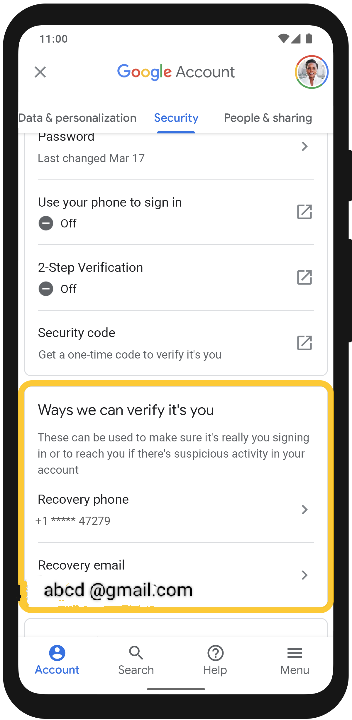
- Choose “Get a code.”
- Google sends an OTP to your registered phone number.
- Enter the code
- Create a new password
3. How to Recover a Gmail Account Using a Recovery Email?
How can you recover your Gmail account? If you added a backup email. This concept may be reliable for you for a long time. Always keep your recovery email active.
Steps:
- Google sends a verification code or link
- By using recovery email click this link
- Open the link or enter the code
- Reset your password
- Log in again
4. How to Recover an Old Gmail Account Using Security Questions?
Some older accounts may show identity questions like: (If you give the answer as accurately as possible.)
- When did you create this Gmail account?
- Which device did you use the most?
- From which city or country did you usually log in.
5. Additional Gmail Recovery Methods (If Available)
If you could not recover your Gmail account by the guidelines given above, Can use some additional method if Google detects matching history.
5.1 Device-Based Verification
If you are still logged in on:
- Old phone
- Old laptop
- Tablet
Google may send a notification asking:
“Is this you trying to sign in?”
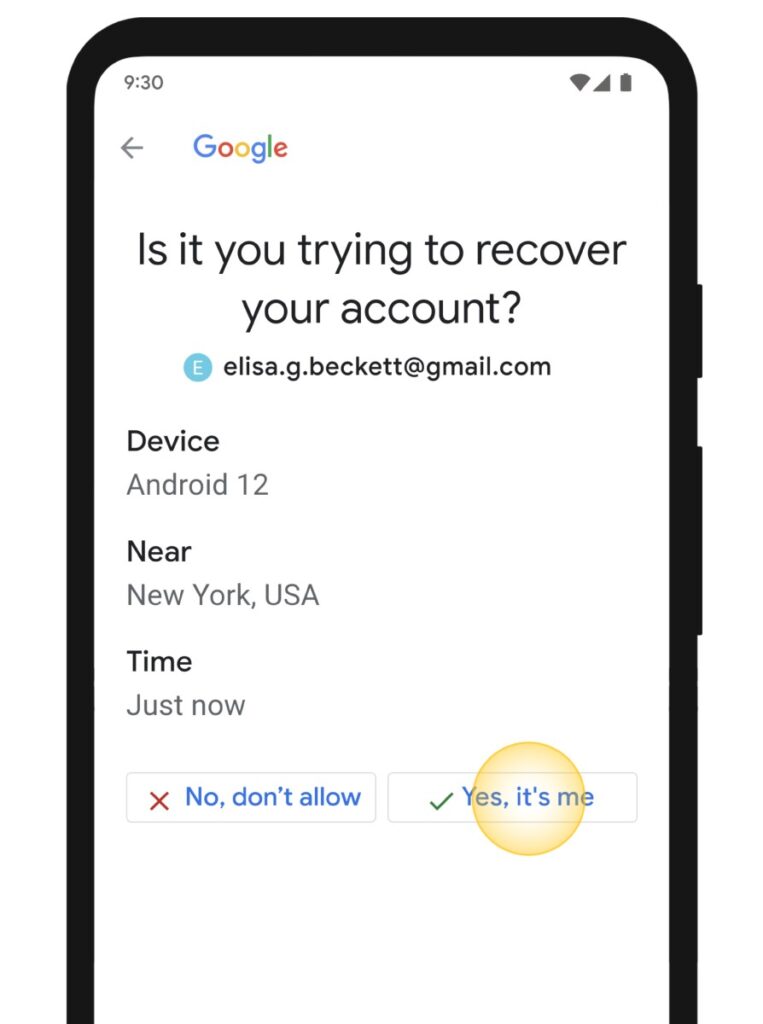
You just tap Yes.
5.2 Trusted Location Verification
Google checks:
- Your usual city
- Country
- IP history
If it matches, your chances of recovery increase.
5.3 Google Prompt Approval
If your Gmail is logged in on any device:
- Google sends a popup
- You approve the sign-in
- Then reset your password
In Conclusion: What If You Don’t Have Any Recovery Information?
If you forgot everything—no password, no phone number, no recovery email—try these tips:
- Use the same device you used before
- Use the same Wi-Fi or location
- Do not skip any question
- Enter your best guesses
- Avoid repeated wrong attempts
- Wait 24–72 hours for Google’s reply
How to Protect Your Gmail Account in the Future
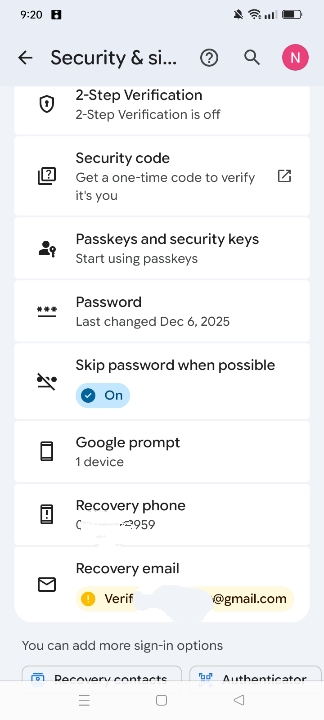
- Add recovery phone number
- Add recovery email
- Enable 2-step verification
- Use strong passwords
- Avoid phishing links
- Update security settings regularly
Frequently Asked Questions (FAQ)
1. How can I recover my Gmail account without a phone number?
You can recover your Gmail account without a phone number by using your recovery email, entering your last known password, or verifying your identity on Google’s Account Recovery page. Google may also ask about your recent login activity and devices.
2. How to recover a Gmail account without using an email?
If you don’t have access to your recovery email, click “Try another way” on the Google recovery page. Google may ask for your old passwords, device verification, or other identity details to confirm account ownership.
3. Can I recover my Gmail account without any recovery options?
Yes, you can still try to recover your Gmail account even if you don’t have a phone number or recovery email. Google will ask you questions about your account, such as old passwords, account creation date, and frequently used devices.
4. What information does Google ask during account recovery?
Google may ask for your last remembered password, the date you created the account, recent login locations, devices you used, and answers to security questions to confirm you are the real owner.
5. Can I recover my Gmail account after a long time?
Yes, you can recover your Gmail account even after a long time if you can provide correct ownership details. The more accurate information you provide, the higher your chances of success.
6. Can I contact Google support for Gmail recovery?
Google does not offer direct live support for free Gmail accounts. You must use the official account recovery form to regain access.