
Beginning,
Computers are now a necessary part of our everyday lives. Computers are very important for getting things done, from work and school to fun and talking to friends. But computer problems happen a lot, especially for people who use Windows. Even a brand-new computer can start to have problems over time, such as slow performance, freezing, internet problems, or sudden errors. so, here complete information about Common Computer Problems and Solutions (Complete Guide for Beginners & Office Users)
Table of Contents
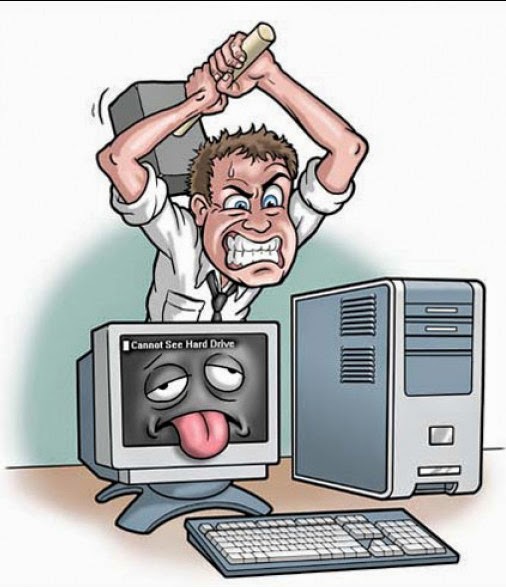
A. Why problems with computers happen a lot ?
Most of the time, computer problems happen because of:
- Updates to software on a regular basis
- Putting in too many programs
- Not enough upkeep
- Old hardware
- Infections with viruses or malware
*A lot of users don’t pay attention to small problems at first, but these small problems can quickly turn into big system failures.
B. How small issues affect productivity:
- Take up valuable work time
- Make work less productive in the office
- Make data go missing
- Make people angry and stressed
note:These problems can get in the way of daily tasks and deadlines for students, office workers, and people who use computers at home.
C. What this content will teach readers ?
- -This guide to common computer problems and their fixes will teach you:
- The problems that computer users have the most often
- Simple step-by-step answers
- When you can solve the problem on your own
- When you need help from a professional
note : This guide is easy to read, so it’s great for people who are new to the subject, work in an office, or don’t know much about technology.
2. Computer Running Slow
Slow performance is one of the most common computer problems and solution . Your PC may take longer to start up, open apps, or lag when you try to do more than one thing at once.

A. Things that make a computer run slowly
- Too many programs that start up
-When Windows starts up, a lot of programs start up on their own. These programs use up RAM and CPU, which makes your computer start up more slowly. - Not enough RAM or storage
If your computer doesn’t have a lot of RAM or its hard drive is almost full, it has a hard time doing more than one thing at a time. - Files that are junk or temporary
Over time, temporary files, cache, and system files that aren’t used build up and slow down the system.
B. Ways to fix a slow computer:
-Turn off apps that you don’t need at startup.
- To open Task Manager, press Ctrl + Shift + Esc.
- Click on the Startup tab
- Turn off programs you don’t need when your computer starts up.
This can make booting up much faster.
-Please remove unnecessary files and clean the disk.
- Use the Disk Cleanup tool
- Remove temporary files
- Remove programs you don’t use
-Change to SSD or upgrade your RAM
If software fixes don’t work:
- Get more RAM to do more things at once.
- For better performance, switch from HDD to SSD
Upgrading your hardware will make things run faster.
3. The computer freezes or doesn’t respond.
If you don’t know how to fix it, a computer that freezes can be very annoying and even lose data.
A. Why your computer is freezing :
- A lot of CPU or memory use
Some programs use too many system resources, which makes the system freeze.
- Drivers that are out of date
Drivers that are old or don’t work with Windows can cause problems and freeze the computer.
- Getting too hot
Dust inside the CPU or laptop blocks airflow, which makes the system overheat and freeze.
B. How to fix common computer problems with freezing
- Use Task Manager to find apps that use a lot of resources
– Start Task Manager
-Look at how much memory and CPU are being used
-End tasks that use too many resources
- Windows and drivers need to be updated.
-Go to Settings > Windows Update / Update all pending system and driver updates
- Remove dust and make the airflow better.
– Clean the fans and vents on the CPU.
– Use pads to cool your laptop
– Keep the system in a place with good air flow.
4. Problems with the Internet Connection
Problems with the internet can make it hard to work, take online classes, and talk to people.
A. Problems that happen a lot on the internet
- Wi-Fi that is slow
Slow internet speeds are caused by weak signals or too many people using the network.
- Disconnections happen a lot
Unstable connections can happen because of problems with the router, old drivers, or the ISP.
- No access to the internet
You might not be able to connect to the internet if your settings are wrong or your hardware is broken
B. Solutions for internet problems
- Reboot the router and the computer
Most temporary network problems can be fixed with this easy step.
- Update the drivers for your network
– Launch Device Manager
– Update the drivers for your network adapter
Updated drivers make it easier to connect.
- Use an Ethernet cable to connect securely.
Wired connections give:
– Speedier speeds
– More stability
– Less lag
5. The computer won’t start :
It can be scary when a computer won’t turn on. the computer won’t start is common computer problems and solution. guide below.
A. Things that could cause it
- Problem with the power supply
Starting up can be stopped by loose cables or broken power supplies.
- Problem with the battery or charger
Over time, laptop batteries and chargers may stop working.
- Failure of hardware
If the RAM, motherboard, or CPU is broken, the computer won’t start.
B.Solutions when PC won’t turn on
- Check the power cords and outlets
Make sure the power cords are plugged in correctly.
Use a different power outlet.
- Take out the battery and put it back in (laptop)
Take out the battery
Press and hold the power button for 10 seconds.
Put the battery back in and try again.
note: You need to see a doctor if none of the above work
6. Blue Screen of Death (BSOD)
The Blue Screen of Death (BSOD) is a very bad error in Windows.
A. Why BSOD happens: Driver problems:
Driver conflicts :Drivers that don’t work with the system or are broken can cause crashes.
Problems with the hardware: BSOD errors can happen when RAM or hard drives are broken.
Corruption of system files:Corrupted Windows system files make the system less stable.
B.How to fix BSOD
- Turn off and on the computer.
Errors that happen only once in a while usually go away after a restart.
- Fix or remove bad drivers
Use the Device Manager
Uninstall drivers that were just installed
- Use the Windows Troubleshooter
Windows has built-in tools that can find and fix problems on their own.
7. Getting a virus or malware
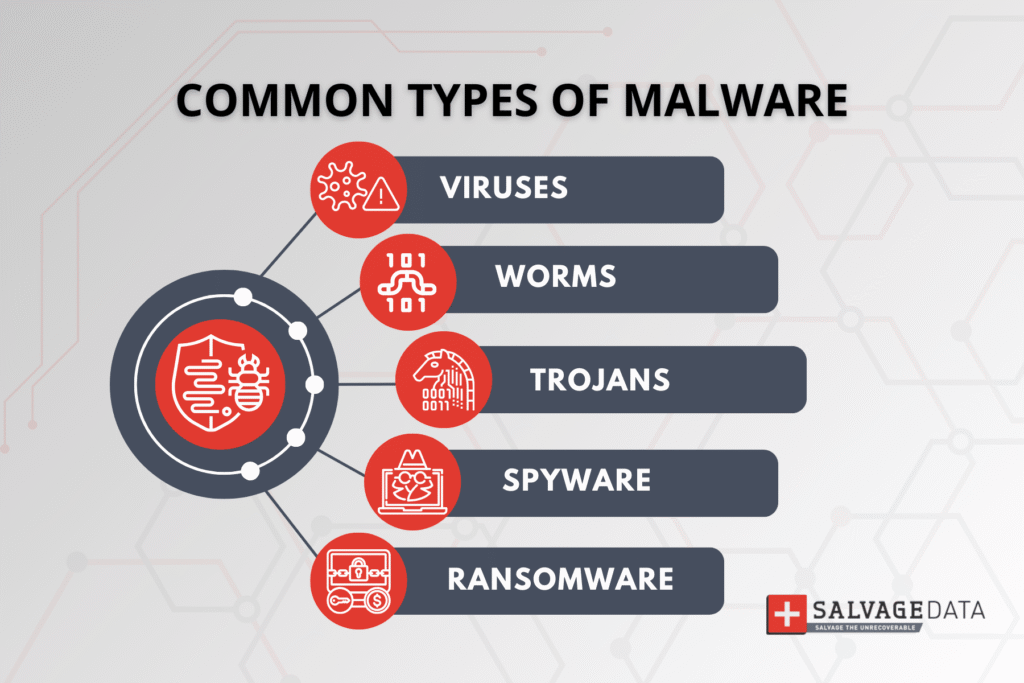
Viruses and malware can seriously hurt the performance and safety of your computer.
- Signs that your computer has a virus
– Ads that pop up
Frequent unwanted ads are a sign of adware infection.
– Slow speed
Malware uses up system resources.
– Programs that are not known
Apps that look suspicious may show up without permission.
B. Fixes for virus problems
– Use Windows Defender to scan
Start Windows Security
Do a full system scan
– Get rid of software that looks suspicious
Remove programs you don’t know about or don’t want.
– Don’t download from websites that aren’t safe.
You should always get software from official sources.
8. No sound or audio problems
Audio issues are common computer problems and solutions, especially after updates.
A. Common causes
Muted volume
Sometimes volume is accidentally muted.
Wrong audio output selected
Audio may be set to the wrong device.
Driver issues
Outdated or missing drivers stop sound output.
B. Ways to fix audio problems
– Check the audio and volume settings.
Make sure the volume isn’t turned off.
– Set the right device for playback
Choose the right speakers or headphones.
– Update the drivers for your sound system
Get the most recent audio drivers for your computer.
9. The printer isn’t working
Printers are important in offices, but they often have problems.
1. Problems with the printer
Printer is not online
Problems with the connection cause offline status.
Paper stuck
Physical paper blockage stops printing.
Mistake by the driver
Printing won’t work if the drivers are wrong.
- Turn off the printer and computer again.
This makes the connection new again.
- Install the printer drivers again
Get the right drivers from the manufacturer’s website.
- Check the connection between the cable and the Wi-Fi.
Make sure the printer is connected correctly.
10. Conclusion: How important it is to keep up with regular maintenance
Most computer problems can be avoided with regular maintenance. Keeping systems healthy means cleaning files, updating software, and checking hardware.
A.When to fix things yourself and when to get help from a pro
- Do-it-yourself fixes for software problems, slow speeds, and internet problems
- Get help from a pro if your hardware fails, your power goes out, or your motherboard has problems.
B.Last tips for keeping your computer in good shape
- Update Windows regularly
- Use antivirus software
- Stay away from software you don’t need.
- Make backups of important data often.
Frequently Asked Questions (FAQ)
Q1. What are the most common problems with computers?
The most common problems are slow performance, freezing, internet problems, virus infections, and audio problems.
Q2. Why does my computer get slower as time goes on?
Because of junk files, background programs, old drivers, and not enough hardware resources.
Q3. Is it possible to fix computer problems without a technician?
Yes, basic troubleshooting can fix a lot of problems with software.
Q4. How often should I clean my PC?
You should clean your disk once a month and your physical space every six to twelve months.
Q5. Is it worth it to upgrade your RAM?
Yes, adding more RAM makes things run much better, especially when you’re doing more than one thing at once.
[url=https://rhsolutions1.in]Купить пластиковые окна на заказ в Москве[/url] — это отличный способ улучшить энергоэффективность вашего дома и повысить его комфорт.
Характеристики стеклопакетов могут значительно повлиять на комфорт в вашем доме.